Viewing PDF, FB2, EPUB files
You can view the files found on the internet directly in Yandex Browser. By default, files in supported formats open in Yandex Browser immediately after you download them. If a site owner doesn't allow you to open files automatically, the file will be downloaded to your computer. You can open it manually in Yandex Browser. You can control the appearance of files in your Yandex Browser window as you view them and bookmark pages in ebooks.
Open files in Yandex Browser
Auto
-
After clicking the file download link, the file opens automatically in Yandex Browser.
To open PDF files in Yandex Browser:
-
Click → Settings → Tools.
-
Under File viewer, deselect Open PDF files in browser.
-
Manually
-
Use one of these options:
-
Open the folder with the file and drag the file to your Yandex Browser window.
-
In Yandex Browser, press Ctrl + O and select the file you need.
If you don't want to open PDF files in Yandex Browser, you can:
-
Save PDF files to computer
1. In the upper-right corner of the Yandex Browser window, click  .
.
2. Find any PDF in your downloads list.
3. Right-click the file name.
4. Disable the Use quick view for PDF option.
Note
If you want to automatically view files after they are saved to your computer, enable option Open PDF files automatically on completion.
Open PDF files in a different program
1. Click → Settings → Tools.
2. In the File viewer section, disable the Open PDF files in browser option.
Auto
- After clicking the file download link, the file opens automatically in Yandex Browser.
Manually
-
Use one of these options:
-
Open the folder with the file and drag the file to your Yandex Browser window.
-
In Yandex Browser, press Ctrl + O and select the file you need.
-
Viewing files
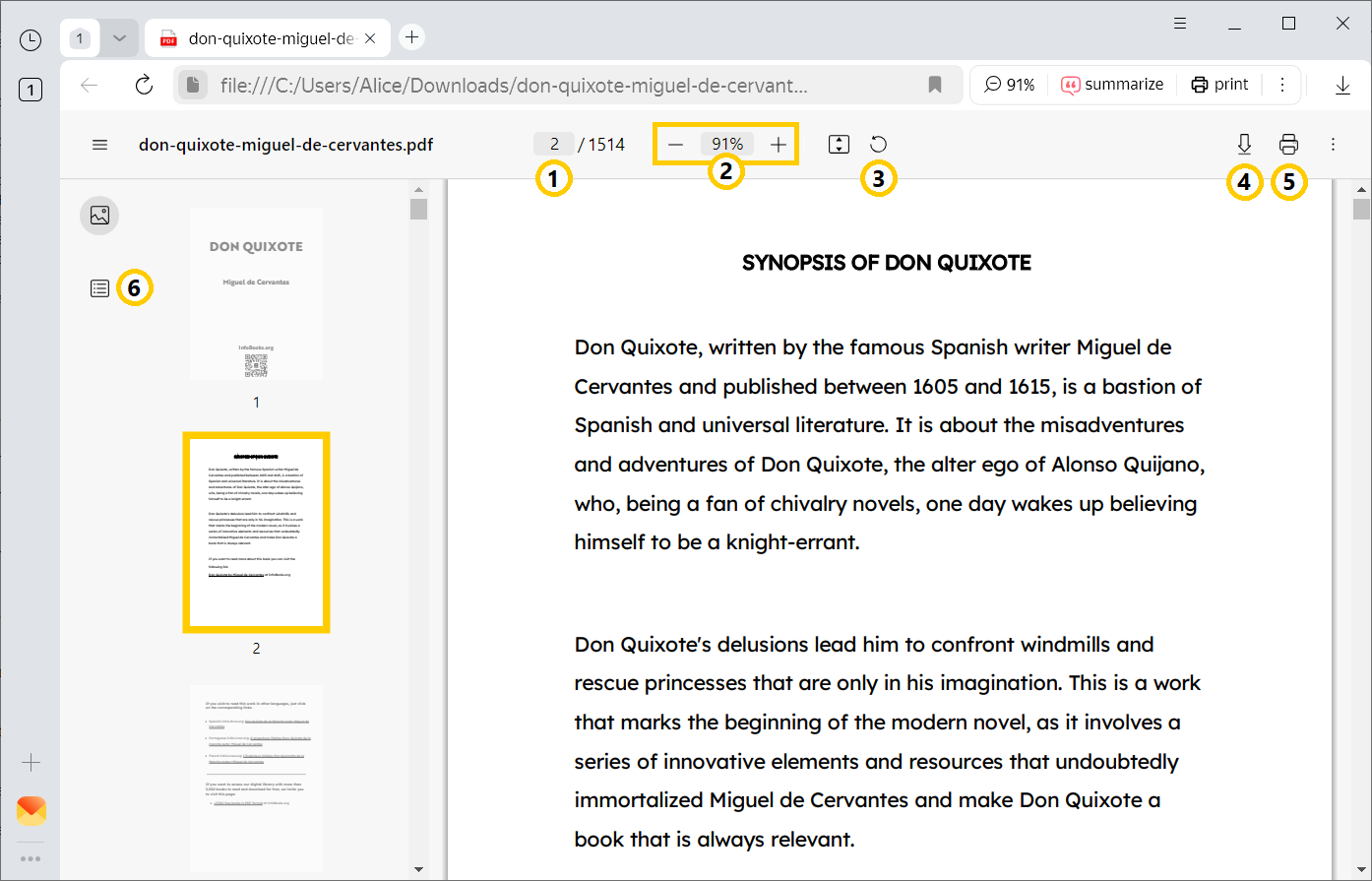
— Navigate to a specific page by number
— Change the zoom
— Rotate the page
— Save the file to your computer
— Print the file
— View the table of contents
Create a bookmark in an ebook
- To add a bookmark, click
 in the upper-right corner of Yandex Browser and it will turn red. To remove a bookmark, click the icon again.
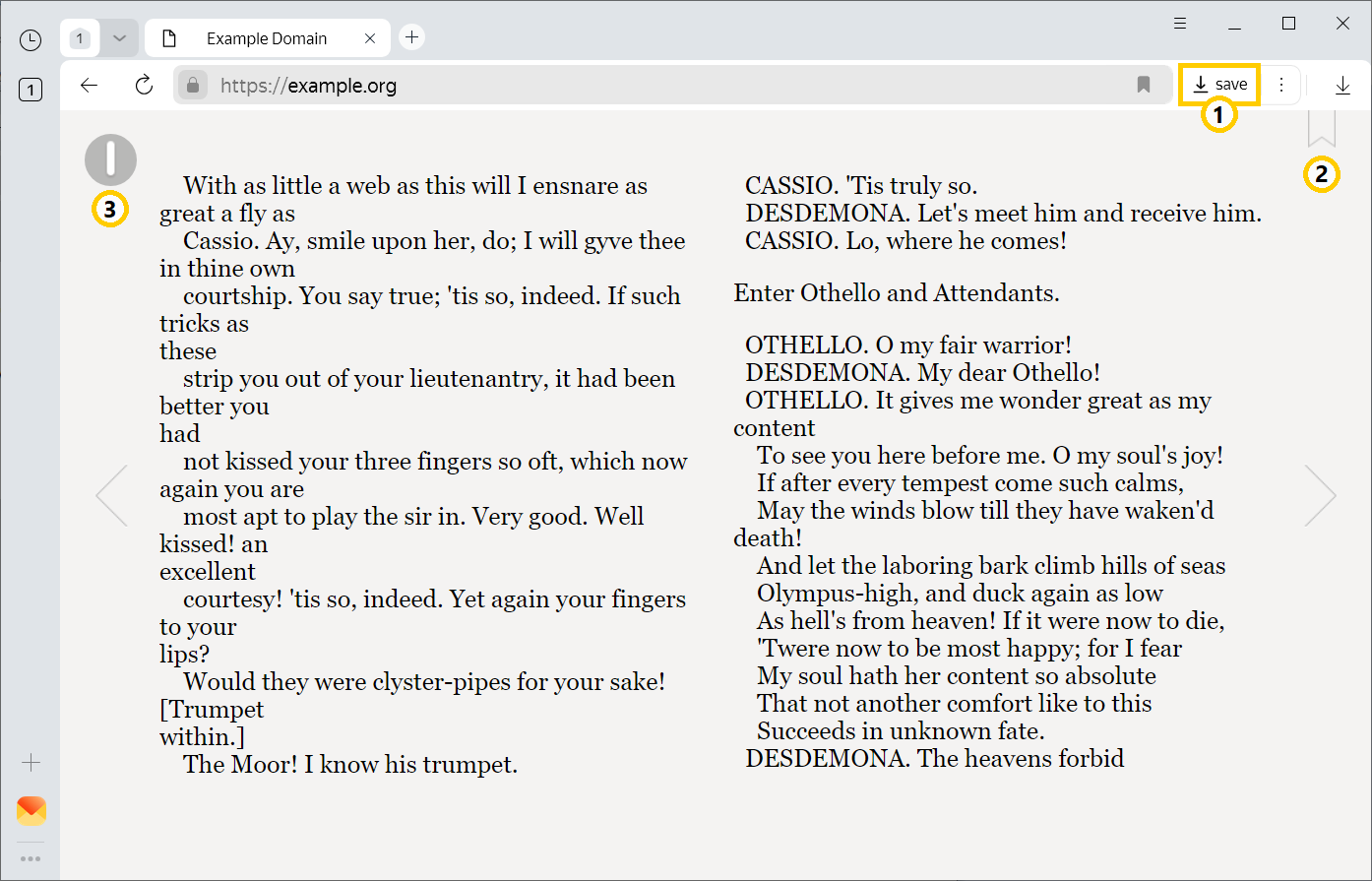
— Save the book to your computer
— Create a bookmark
— Open the book management menu
Go to bookmarks list
-
In the upper-left corner of your Yandex Browser window, click
 →
→  .
. -
Click Bookmarks.
Go to the table of contents
-
In the upper-left corner of your Yandex Browser window, click
→ . -
Click Table of contents.
Keyboard shortcuts for changing scale
-
To zoom in: Ctrl + Plus.
-
To zoom out: Ctrl + Minus.
-
To set page zoom to 100%: Ctrl + 0.
Use keyboard shortcuts for other actions, too.
-
Zoom in: ⌘ + Plus.
-
Zoom out: ⌘ + Minus.
-
Set the page zoom to 100%: ⌘ + 0.
Use keyboard shortcuts for other actions, too.
Problems and questions
Files open in Yandex Browser, although the “Open PDF files in browser” option is deselected
Check the operating system settings:
Note
This instruction was written for Windows 10.
-
Go to Start → Settings → Apps.
-
In the Default apps section, click Choose default apps by file type.
-
Find the desired file type (for example, .pdf).
-
Click the app to the right of the file type.
-
In the window that opens, select the default app for this file type.
-
Find a PDF file.
-
Right-click it to open the context menu.
-
Click Open With Other Application. The system automatically recognizes your choice and selects the latest application the next time you open the file.
-
Go to Finder and find a PDF file.
-
Right-click it to open the context menu.
-
Click Open with → Other.
-
If Yandex Browser is set by default, select another application.
-
Select Always open in the app.
-
Save the changes.
What other file formats can I open in Yandex Browser?
-
XML
-
CSS
-
TXT
-
SXW
-
PRD, PRS
-
TMD, TMV
-
PRV